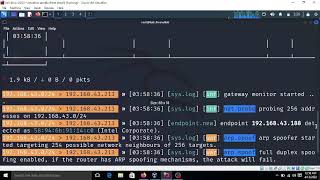
Short Overview: Downgrading HTTPS to HTTP and injecting JavaScript code into the browser side skill injecting javascript code into any HTTPS website techniques for ethical hacking🎩
Downgrading Https To Http And Injecting Javascript Code Into The Browser - Main Context
Topic Snapshot
Downgrading HTTPS to HTTP and injecting JavaScript code into the browser side skill injecting javascript code into any HTTPS website techniques for ethical hacking🎩 AGREEMENT This portal is only available to users who have purchased our "Hack The Tech" Book and this portal is only for ...
Authentication Context
The HeadlessBrowserAPI got a new feature, it is now able to execute your own custom Welcome to my Youtube Channel Here I Teach Ethical Hacking with Kali Linux So Please ...
Key Configuration Details
Directory Access Notes about Downgrading Https To Http And Injecting Javascript Code Into The Browser.
Implementation Considerations
Implementation Considerations for this topic.
Important details found
- Downgrading HTTPS to HTTP and injecting JavaScript code into the browser
- side skill injecting javascript code into any HTTPS website techniques for ethical hacking🎩
- AGREEMENT This portal is only available to users who have purchased our "Hack The Tech" Book and this portal is only for ...
- The HeadlessBrowserAPI got a new feature, it is now able to execute your own custom
- Welcome to my Youtube Channel Here I Teach Ethical Hacking with Kali Linux So Please ...
Why this topic is useful
This format is designed to help readers move from a broad question into more specific pages without losing context.
Implementation Considerations
How should this page be used?
Use it as a topic overview, then check related references and official documentation for exact configuration steps.
Why is Downgrading Https To Http And Injecting Javascript Code Into The Browser important for access systems?
It can affect how users sign in, how permissions are checked, and how identity data connects across applications or directories.
How should this page be used?
Use it as a topic overview, then check related references and official documentation for exact configuration steps.